Profit may look strong, but cash may still be tight.
For CFOs, the real struggle is understanding where the cash is going.
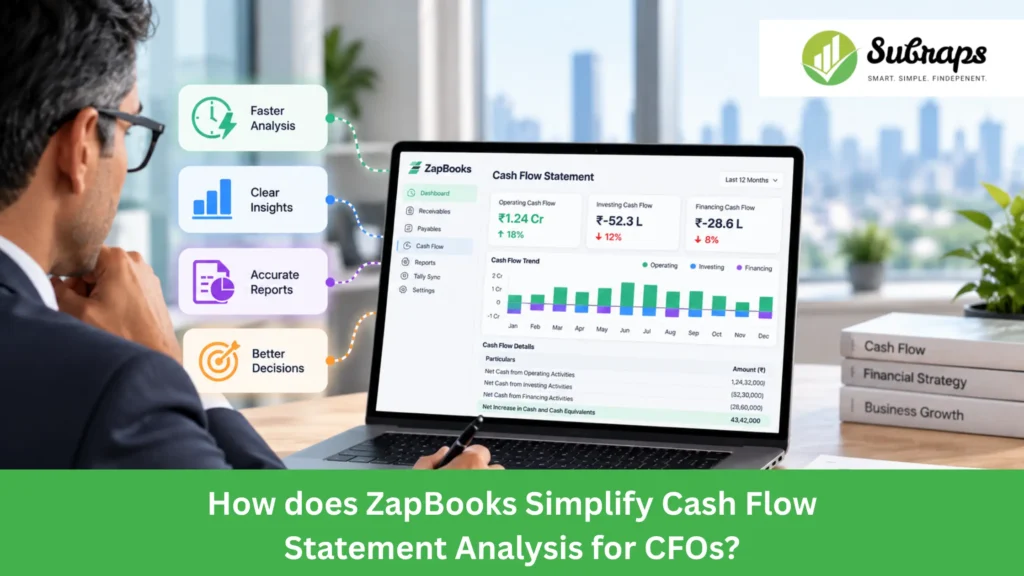
A cash flow statement helps show how money moves through the business, how operations are performing, and where cash is coming from or being used.
In this blog, we’ll look at how ZapBooks simplifies cash flow statement analysis for CFOs using existing Tally data.
What is a Cash Flow Statement and What does it Show?
A cash flow statement is a financial report that tracks the movement of cash and cash equivalents into and out of a business during a specific accounting period.
Unlike a Profit & Loss statement, which records income and expenses when they are earned or incurred, a cash flow statement focuses on when cash actually enters or leaves the business.
It shows this movement across three areas:
- Operating Activities: Cash from day-to-day business operations.
- Investing Activities: Cash used for or received from assets and investments.
- Financing Activities: Cash related to loans, repayments, capital, and other funding activities.
For CFOs, this makes it easier to understand where cash came from, where it was used, and why the closing cash balance changed during the period.
Why do CFOs Need a Clear Cash Flow Statement?
Cash is king because profit alone does not show how much cash a business actually has available. CFOs need to know where cash is coming from, where it is being used, and what is putting pressure on liquidity.
A clear cash flow statement helps CFOs see whether operations are generating enough cash and where money is getting tied up.
For example, a business may be profitable but still face cash pressure if receivables are rising, inventory is increasing, or debt repayments are high.
It helps CFOs:
- See which activities generate or use cash
- Understand why profit and cash are different
- Identify working-capital pressure
- Improve cash planning and financial control
This gives CFOs a clearer view of the company’s cash position and where attention is needed next.
How does ZapBooks Build a Cash Flow Statement from Tally Data?
ZapBooks builds the cash flow statement using financial data already available in Tally.
It mainly uses:
Profit & Loss + Opening Balance Sheet + Closing Balance Sheet → Cash Flow Statement
The calculation starts with profit before tax. It then adjusts items that affect profit but do not involve the same cash movement.
The flow looks like this:
Profit Before Tax → Non-Cash Adjustments → Working Capital Changes → Operating Cash Flow → Investing Cash Flow → Financing Cash Flow → Net Cash Movement → Closing Cash
For example, depreciation is added back because it reduces profit but does not involve an actual cash payment during the period.
Changes in receivables, inventory, payables, taxes, loans, and fixed assets are then used to explain how cash moved during the period.
At the end, ZapBooks compares the calculated closing cash with the cash and bank balance shown in Tally. If the figures match, the reconciliation gap is zero. If there is a difference, it remains visible for the finance team to review.
What Cash Flow Insights can CFOs Get from ZapBooks?
ZapBooks helps CFOs understand where cash came from, where it was used, and what caused the final cash position to change. These ZapBooks financial insights from Tally data also help CFOs review profitability, working capital, and overall financial performance more clearly.
Operating Cash Flow
CFOs can see how much cash the core business generated after adjusting profit for non-cash items and working-capital changes.
This helps show whether regular business operations are actually producing cash.
Working Capital Changes
Changes in receivables, inventory, payables, statutory dues, and provisions can directly affect available cash.
ZapBooks shows these movements separately so CFOs can see where cash is getting tied up and which working-capital areas need attention.
Investing and Financing Activities
Asset purchases and investment movements are shown under investing activities.
Loans, overdrafts, interest, repayments, and other funding movements are shown under financing activities.
This helps CFOs clearly separate cash used for day-to-day operations from cash used for investments or funding.
Opening and Closing Cash Position
The statement connects:
Opening Cash + Net Cash Movement = Expected Closing Cash
ZapBooks then compares this figure with the actual cash and bank balance in Tally.
This gives finance teams a clear check that the cash movement for the period has been properly explained.
What are the Key Cash Flow Features in ZapBooks?
ZapBooks includes practical features that make the cash flow statement easier to review and verify:
- Indirect Method Calculation: Starts with profit before tax and adjusts non-cash items and working-capital movements.
- Operating, Investing, and Financing Sections: Clearly separates the main sources and uses of cash.
- Cash Reconciliation: Compares calculated closing cash with the Tally cash and bank balance.
- Drill-Down to Tally Vouchers: Allows finance teams to review the transactions behind cash flow movements.
- Source Identification: Helps show whether a figure comes directly from Tally or is calculated from underlying data.
- Period Views: Allows finance teams to review different reporting periods and comparisons where available.
- Excel Export: Makes it easier to share or work with the cash flow statement outside ZapBooks.
What are the Benefits of Using ZapBooks for Cash Flow Analysis?
The main benefit is that CFOs can understand why cash changed, not just see the final balance.
Understand Profit vs Cash
A profitable period does not always mean the business has more cash.
Receivables may have increased, inventory may have absorbed cash, or money may have been used for asset purchases or loan repayments.
ZapBooks brings these movements together so the difference between profit and cash is easier to understand.
Review Working Capital More Clearly
CFOs can see how receivables, payables, and inventory movements are affecting cash.
This gives better context during working-capital and liquidity reviews.
Verify the Closing Cash Position
ZapBooks compares the calculated closing cash with the balance shown in Tally.
This gives finance teams an additional check before using the statement for management reporting.
Reduce Dependence on Separate Cash Flow Workbooks
Finance teams may otherwise need to combine several Tally reports in spreadsheets to prepare a cash flow statement.
ZapBooks uses the existing Tally data to build the statement within the same reporting process, reducing the need to recreate the analysis separately.
Support Better Finance Discussions
When CFOs can clearly explain where cash was generated and where it was used, discussions around collections, borrowing, investments, working capital, and liquidity become easier and more focused.
Get a Clearer Cash Flow View from Your Tally Data with ZapBooks
ZapBooks is built to work alongside Tally, not replace it. Tally continues to hold the core accounting data, while ZapBooks helps finance teams use that data for clearer cash flow analysis and management reporting.
By using information from the Profit & Loss statement, opening and closing balance sheets, working-capital movements, investing activities, and financing activities, ZapBooks helps CFOs understand how profit is translating into cash and what is affecting the final cash position.
This makes it easier to see whether cash is coming from business operations, getting tied up in receivables or inventory, or being used for investments, loan repayments, and other financial commitments.
For businesses already using Tally, the features and benefits of ZapBooks provide a more structured way to understand cash flow and financial performance without changing the existing accounting system.
ZapBooks is developed by Subraps as part of its finance and accounting automation solutions, helping businesses get more practical value from the financial data already available in their systems.
Conclusion
A clear cash flow statement helps CFOs understand not just how much cash the business has, but where it came from, where it was used1;
, and what is affecting the final cash position.
ZapBooks uses existing Tally data to bring profit, working-capital changes, investing activity, financing activity, and closing cash into one clear view. This makes cash flow easier to review, verify, and discuss during financial planning and management meetings.
For businesses already using Tally, ZapBooks adds a practical way to understand cash movement without changing the accounting system they already rely on.
Want a clearer view of your cash flow from Tally data? Book a Free Consultation with Subraps.
