A company may have all of its financial transactions recorded in Tally but still spend time attempting to understand what those numbers mean for the business.
Revenue may be increasing, but is profitability improving? Cash may be available today, but how much is held in receivables? Expenses may have increased, but which ledger or transaction caused the shift?
These are the questions CFOs and finance teams must answer during management reviews.
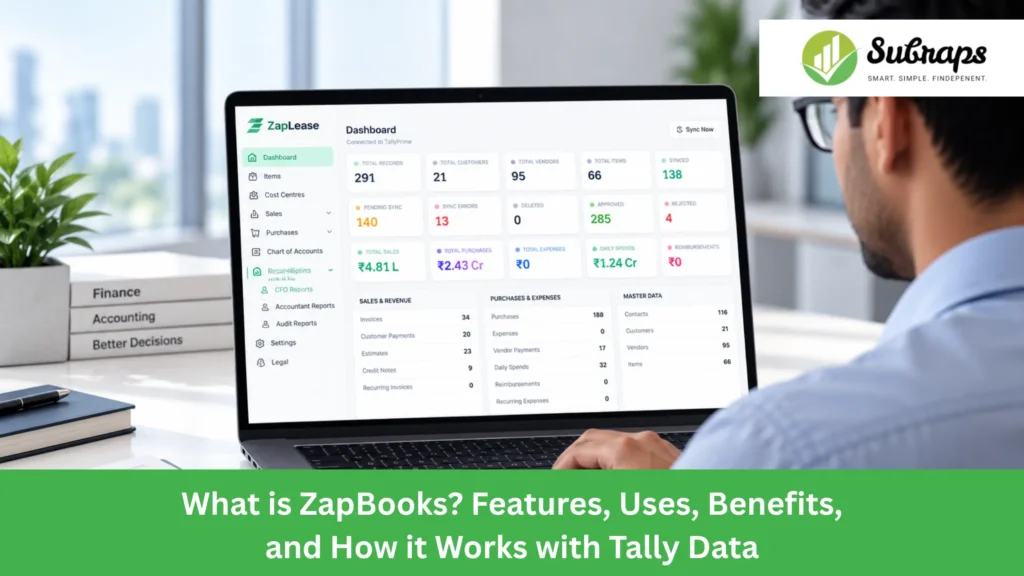
ZapBooks enables businesses to use their existing Tally data for better financial reporting, analysis, and management visibility. Rather than replacing Tally, it works with existing accounting data and presents it in a more user-friendly format for review, investigation, and discussion.
This guide explains what ZapBooks is, how it integrates with Tally, its key features and applications, and the advantages it can provide to finance teams.
What is ZapBooks?
ZapBooks is a finance and management reporting platform that enables businesses to gain more valuable financial insights from their Tally data.
Tally remains the primary source of accounting records. ZapBooks uses that financial data to provide management reports on profit and loss, cash, receivables, payables, working capital, financial ratios, and business performance.
It also enables finance users to navigate from a high-level report figure to the accounting entries that underpin it when investigating a number.
This makes ZapBooks useful for CFOs, finance directors, accountants, promoters, and management teams who already use Tally but require more financial transparency.
Why do Businesses Need Clear Financial Insights from Tally Data?
Tally records financial activity in detail, but businesses also need to understand what those numbers mean for performance, cash flow, and day-to-day financial decisions.
An accountant may review ledgers, vouchers, balances, and individual transactions. A CFO or finance leader may need to quickly understand:
- How revenue and profit are changing
- Whether margins are improving or declining
- How much cash is available
- Where working capital is tied up
- Which customers have overdue balances
- How receivables and payables are moving
- Why a particular cost has increased
- Which transactions are behind a report figure
Getting these answers may otherwise require moving between several Tally reports, spreadsheets, and manually prepared MIS files.
ZapBooks brings these financial views together while Tally continues to maintain the underlying accounting records. This helps finance teams understand the numbers faster and use them more effectively during financial and management reviews.
What can Businesses do With ZapBooks?
ZapBooks can be used for regular finance reviews, management reporting, and deeper analysis of Tally data.
For example, a CFO can use it during a monthly management meeting to review profitability, cash position, outstanding receivables, and working capital.
A finance head can compare current financial performance with previous periods and investigate significant changes.
An accountant can use drill-down views to trace a figure in a management report back to the relevant Tally entries.
Businesses can also use ZapBooks for:
- Monthly MIS reporting
- Profitability reviews
- Cash position monitoring
- Receivables and payables analysis
- Working-capital reviews
- Financial ratio analysis
- Cost-centre performance reviews
- Period-to-period comparisons
- Investigation of unusual financial movements
- Management and board reporting
The focus is not simply on presenting more reports. It is on helping finance teams understand the information already available in their books.
What are the Key Features of ZapBooks?
ZapBooks brings together several finance and reporting capabilities around Tally data.
CFO and Management MIS
Management views bring important financial information into one place for regular review.
CFOs can look at performance indicators without having to build a separate spreadsheet every time management needs an update.
Profit and Loss Analysis
Finance teams can review revenue, expenses, margins, and profitability across reporting periods.
This makes it easier to identify where financial performance has changed and where further investigation may be needed.
Cash and Working Capital Visibility
ZapBooks helps management review the cash position alongside receivables, payables, and other working-capital information.
This gives a broader view than looking at profit alone.
Receivables and Payables Analysis
Outstanding customer and vendor balances can be reviewed to understand where money is due and where business cash may be committed.
This can support collection planning, payment discussions, and working-capital reviews.
Financial Ratio Analysis
Financial ratios help put individual numbers into context.
Finance teams can use these views to assess areas such as liquidity, profitability, and overall financial position.
Drill-Down to Tally Vouchers
A management report is more useful when the finance team can verify what is behind a number.
ZapBooks allows users to move through the reporting levels and investigate the source entries behind a figure.
For example:
Profit & Loss → Expense Category → Ledger → Tally Voucher
This makes financial reviews more transparent and helps teams investigate unexpected movements.
Cost Centre and Business-Level Views
Where cost-centre information is maintained in Tally, finance teams can analyze financial performance across departments, branches, projects, or other business units.
This can help management understand where revenue, costs, or margins are being generated.
How does ZapBooks Work with Tally Data?
ZapBooks works with the financial information already maintained in Tally rather than creating a separate accounting system.
The process is simple:
Tally Data → ZapBooks → Financial Reports → Analysis → Drill-Down → Management Review
Tally remains responsible for maintaining the accounting records.
ZapBooks reads the relevant financial information and organizes it into views designed for reporting and analysis. Finance users can then review performance, compare periods, examine specific financial areas, and investigate the source of a number when required.
The reporting layer is designed to help teams work with their existing books rather than asking them to move away from Tally.
What are the Benefits of Using ZapBooks with Tally?
The main benefit of ZapBooks is that it makes existing Tally data easier to understand and use at the management level.
Enhanced financial visibility
Management can see the big picture instead of just reviewing individual reports.
Easier MIS Reviews
Important financial metrics can be reviewed concurrently, making monthly finance and management discussions more structured.
Better Understanding of Cash
Looking at cash alongside receivables, payables, and working capital provides a more complete picture of the company’s financial situation.
Easier Number Investigation
Drill-down capability allows finance teams to understand what caused a change rather than just looking at the headline figure.
More Consistent Management Information
Using the underlying Tally data helps reduce dependence on separately prepared reporting files for every review.
Better Financial Decision Support
Finance leaders who understand performance, cash flow, outstanding balances, and the transactions that underpin them have more useful information for planning and management discussions.
How Tally and ZapBooks Work Together
Tally manages the accounting records, while ZapBooks works with that data to provide clearer MIS, financial analysis, dashboards, and drill-down views for CFOs and management. Together, they help businesses use Tally data for both accounting and better financial decision-making.
| Tally | ZapBooks |
| Maintains core accounting records | Uses Tally data for management reporting and analysis |
| Records vouchers, ledgers, and transactions | Helps CFOs review the financial information behind those records |
| Supports day-to-day accounting and statutory reporting | Adds MIS, dashboards, and management-focused financial views |
| Stores the source transactions | Helps users drill down from reports to the related source data |
| Supports regular accounting operations | Supports financial review, analysis, and management decisions |
Tally and ZapBooks serve complementary roles rather than replacing one another. Tally continues to manage the core accounting records, while ZapBooks uses that data to give CFOs clearer MIS, financial analysis, and management views.
Together, they help businesses use the same Tally data for both day-to-day accounting and better financial decision-making.
How does Subraps Help Businesses Get More Out of their Tally Data?
Understanding accounting, as well as the information management requirements that come with it, is essential for useful financial reporting.
Subraps works with finance and accounting teams on financial reporting, process improvement, and finance and accounting automation. ZapBooks is designed to meet those practical financial needs.
Rather than simply showing numbers on a dashboard, the approach is to assist finance teams in understanding performance, reviewing cash and working capital, investigating movements, and connecting management reports to the accounting information that underpins them.
For businesses that already use Tally, this means they can keep their current accounting environment while improving how finance information is viewed and reviewed.
Do you want to see how your existing Tally data can help you provide more clear management reporting Contact us at Subraps to discuss your current finance and reporting needs.
Conclusion
Tally can keep detailed records of a business’s financial history. The next step is to make that information easier to understand when management requests answers.
ZapBooks adds a management and analysis layer to Tally data, including MIS, profitability, cash, working capital, receivables, payables, ratios, and source-level drill-down.
For CFOs and finance teams, the value is straightforward: Tally retains the accounting data, while ZapBooks makes it easier to understand, investigate, and use in business discussions.
